Monthly site updates.
One web link.
Imagery, mapping & 3D in one place.
Each repeat survey updates the same live project viewer, giving your team the latest site imagery, direct month-to-month comparison, mapped outputs and interactive 3D without changing the link.
No folders. No version hunting. No specialist software.Your whole progress record, ready for the meeting.
Every visit adds to the same project history. Instead of sending another folder of drone photos, Vista updates one clear browser-based record that shows what the site looks like now, what has changed, and the technical outputs behind it.
Drag directly between reporting periods and make progress obvious in seconds.
Open one link and move straight to the latest imagery, comparison or 3D view.
Earlier stages stay accessible for reporting, handover, claims and retrospective review.
Orthophotos, surface models and 3D sit behind the simple client-facing review layer.
Project timeline
Select a survey visit to move through the project record. The example below uses two mapped captures from the same live construction project.
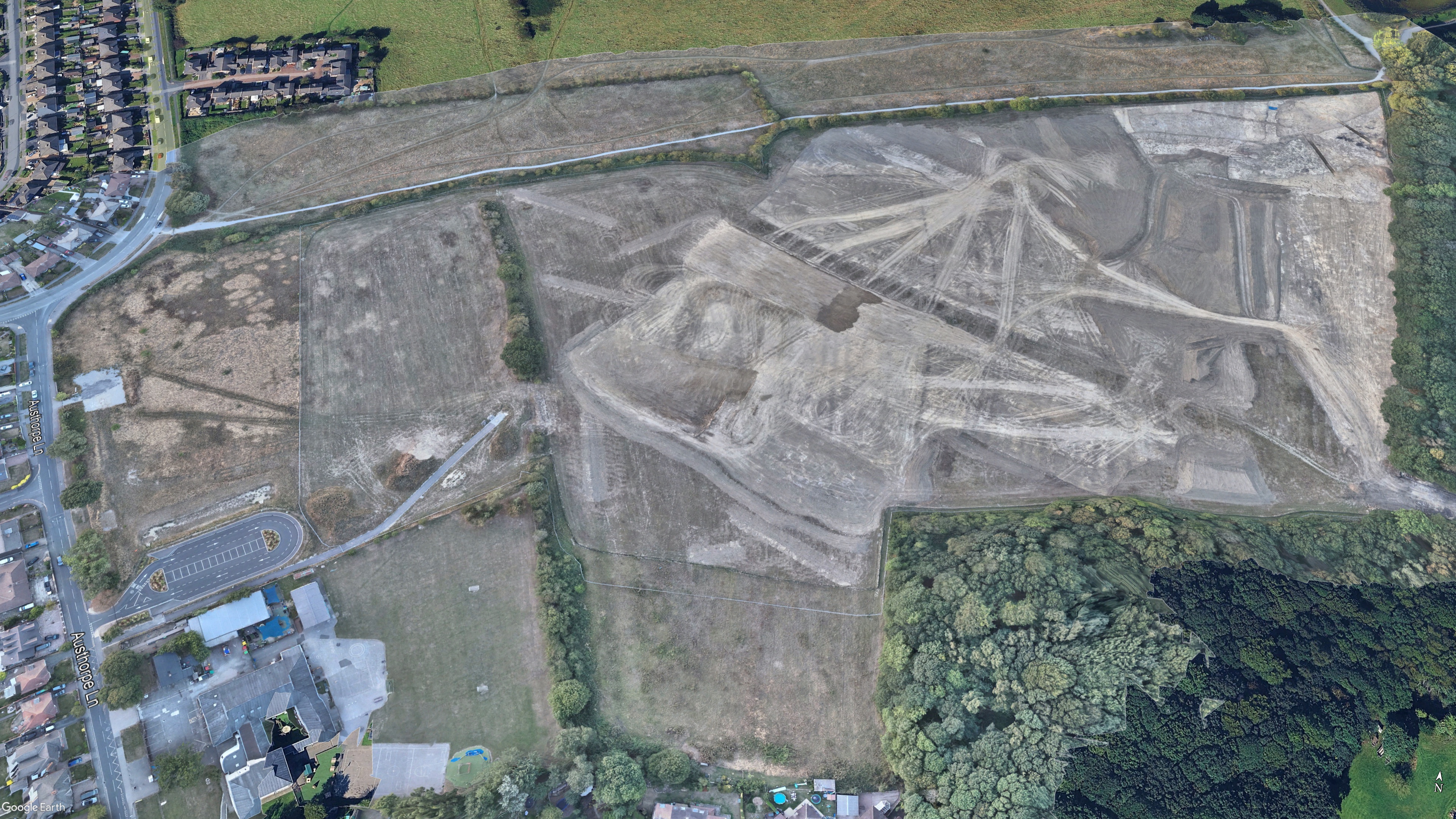
August 2026
The latest repeat survey records the current site position and adds a fresh orthophoto, DSM and 3D model to the same project history.
Site Evolution
Drag the divider to move directly between stages. This is the quickest client-facing way to demonstrate visible change without asking anyone to use specialist software.
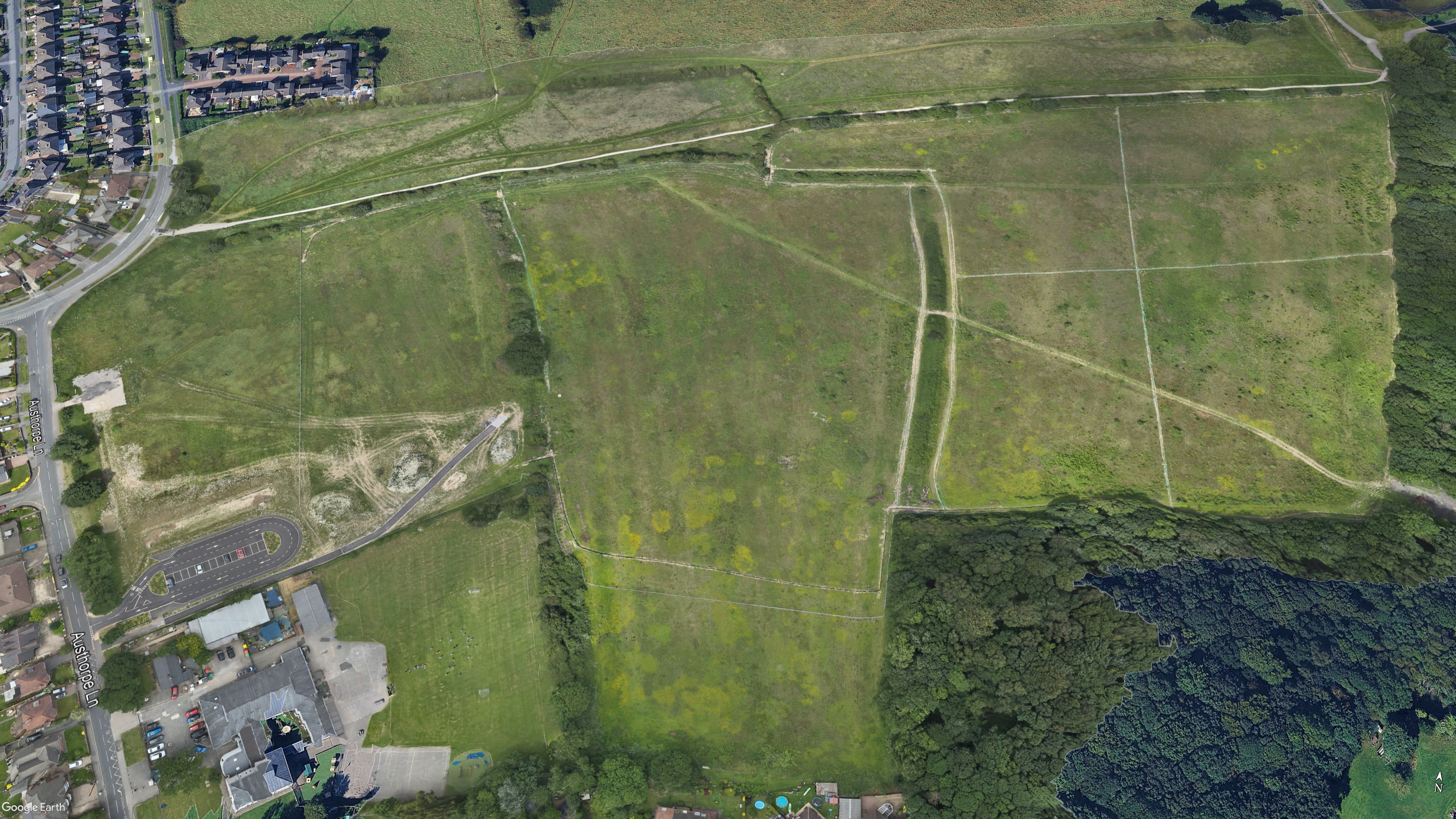 JulyAugust
Explore the project in 3D
Move around the site directly in your browser. Switch between survey visits to revisit an earlier stage, understand context and review the latest position without specialist 3D software.
Orthophoto comparison
Repeat orthomosaics provide a consistent plan-view record of the works. Drag across the same site between July and August.
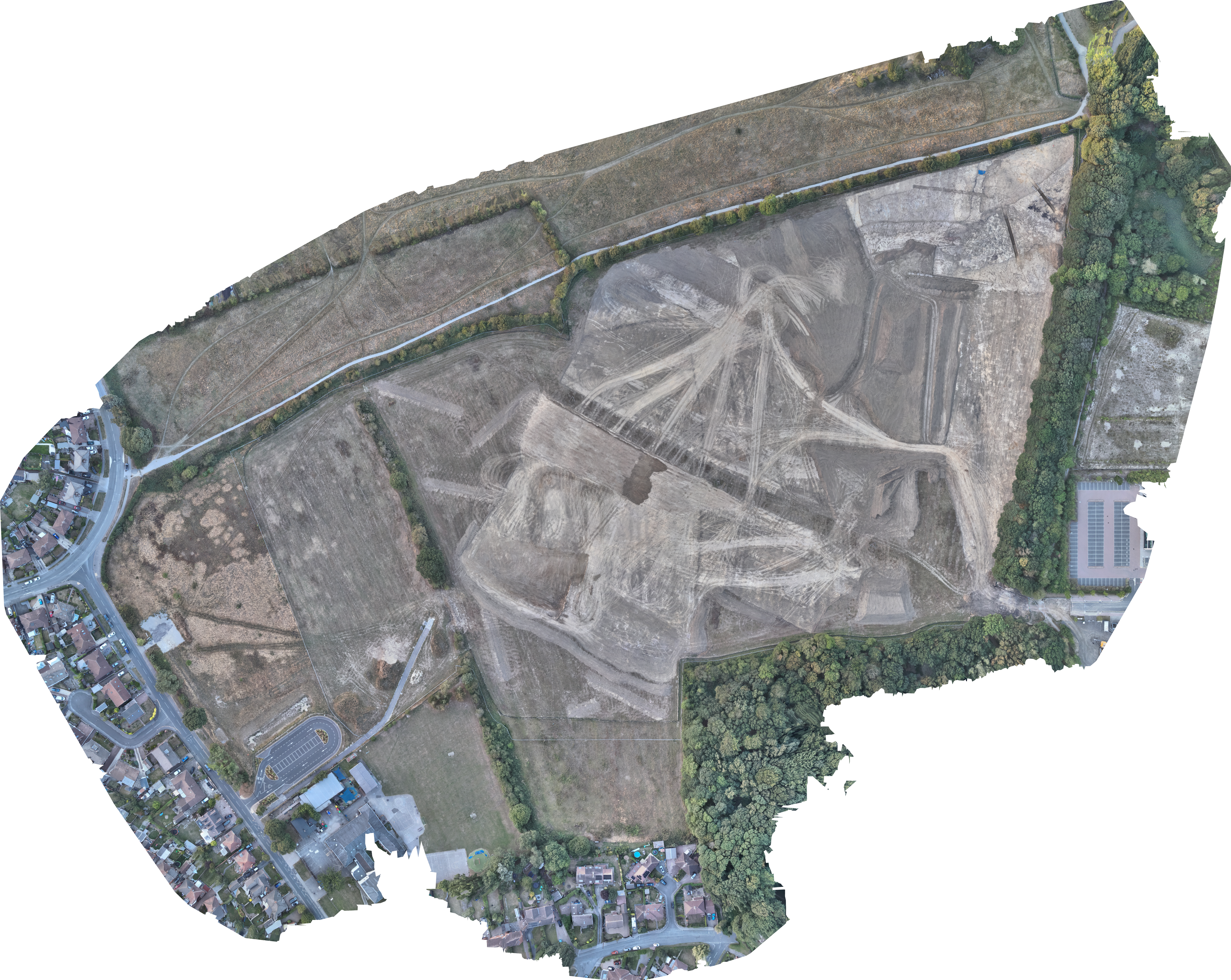
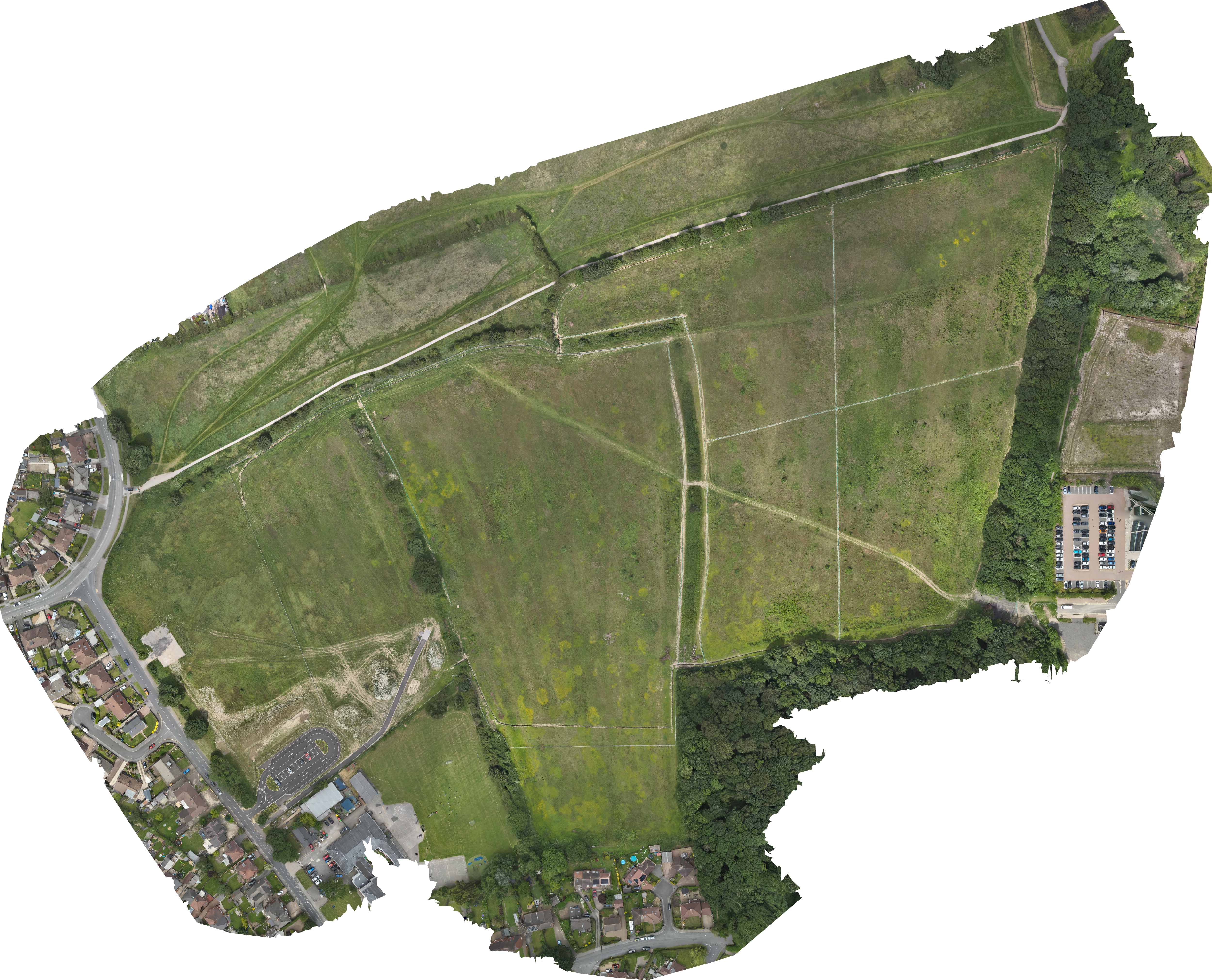 JulyAugust
Surface Model Comparison (DSM)
A Digital Surface Model (DSM) adds height and formation context to each survey visit. Compare surface conditions between captures to communicate broad earthworks and site formation clearly.
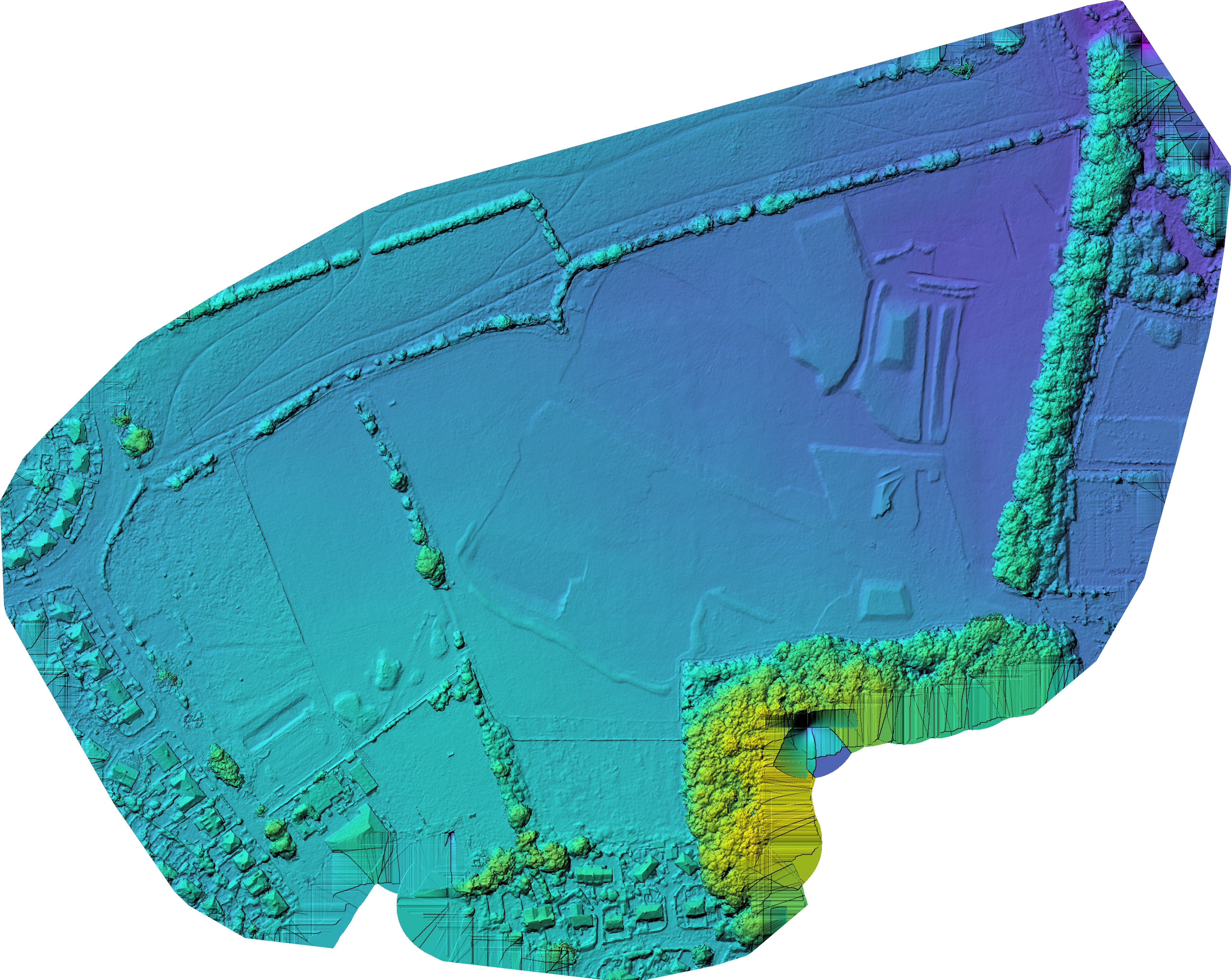
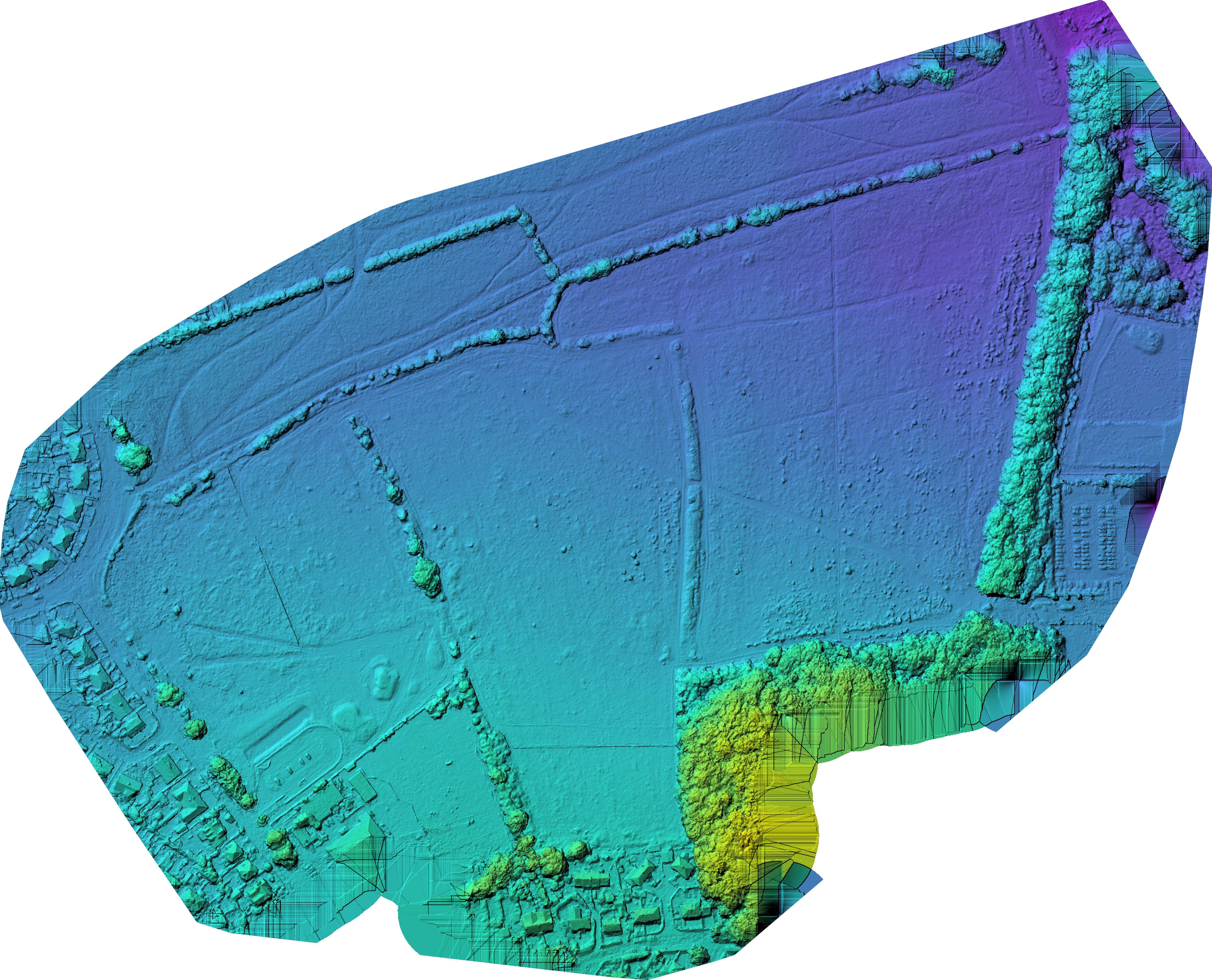 July surface modelAugust surface model
Survey data that project teams can actually use.
Vista Metrics is working on major infrastructure projects nationwide, providing repeatable aerial surveying, construction progress monitoring and geospatial data capture for project teams that need a clear, current record of what is happening on site.
Our approach combines professional UAS capture with photogrammetry, mapping, 3D modelling and simple browser-based delivery. The technical data remains available when it is needed, while directors, project managers, clients and wider stakeholders get a straightforward way to review progress without specialist software.
Give your project one place to see progress.
Start with a single mapped survey. If the workflow earns its place, each repeat visit simply updates the same viewer as the build progresses — no new links, no new folders, no complicated rollout.